Group Manager
Permit access levels to different group of users. The group permissions allow customizing permissions for existing groups or custom groups.
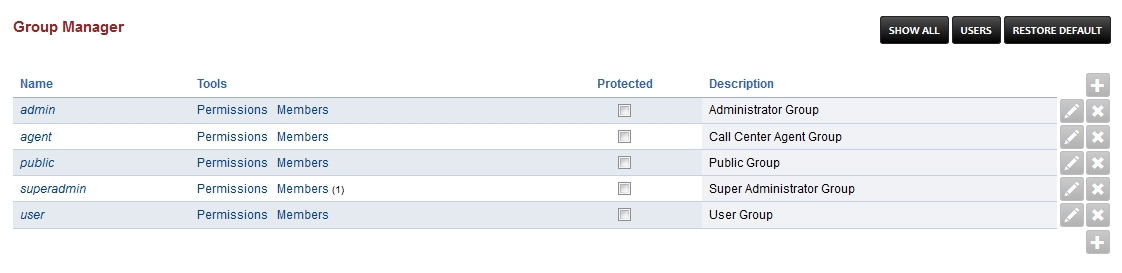
superadmin- the global administrator
admin- the domain administrator
users- the group for regular users
User Manager
Create, edit, remove users.
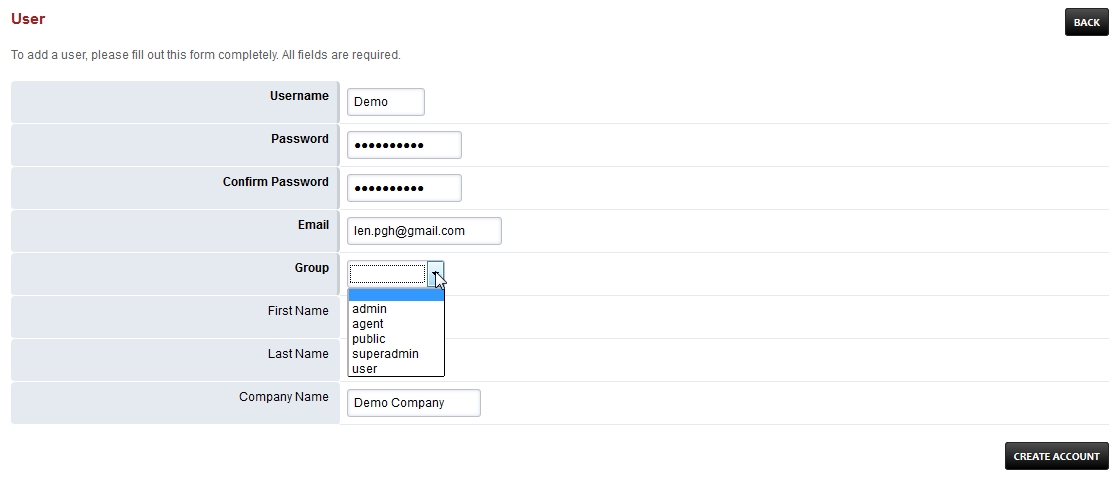
Goto Advanced > Group Manager and click USERS at the top right to create, edit or remove a user.

Click the plus at the right to add a user or pencil to edit an existing user.

Fill in the boxes with pertinent information.
Group- assign the user to a group. Be wise as to who has access to what.